Intellij
Intellij Debug
Shortcuts
Windows
- Extend Selection: Alt + Up Arrow
- Shrink Selection: Alt + Down Arrow
- Show Clipboard: Windows Key + V
- Format Current File: Ctrl + Alt + L
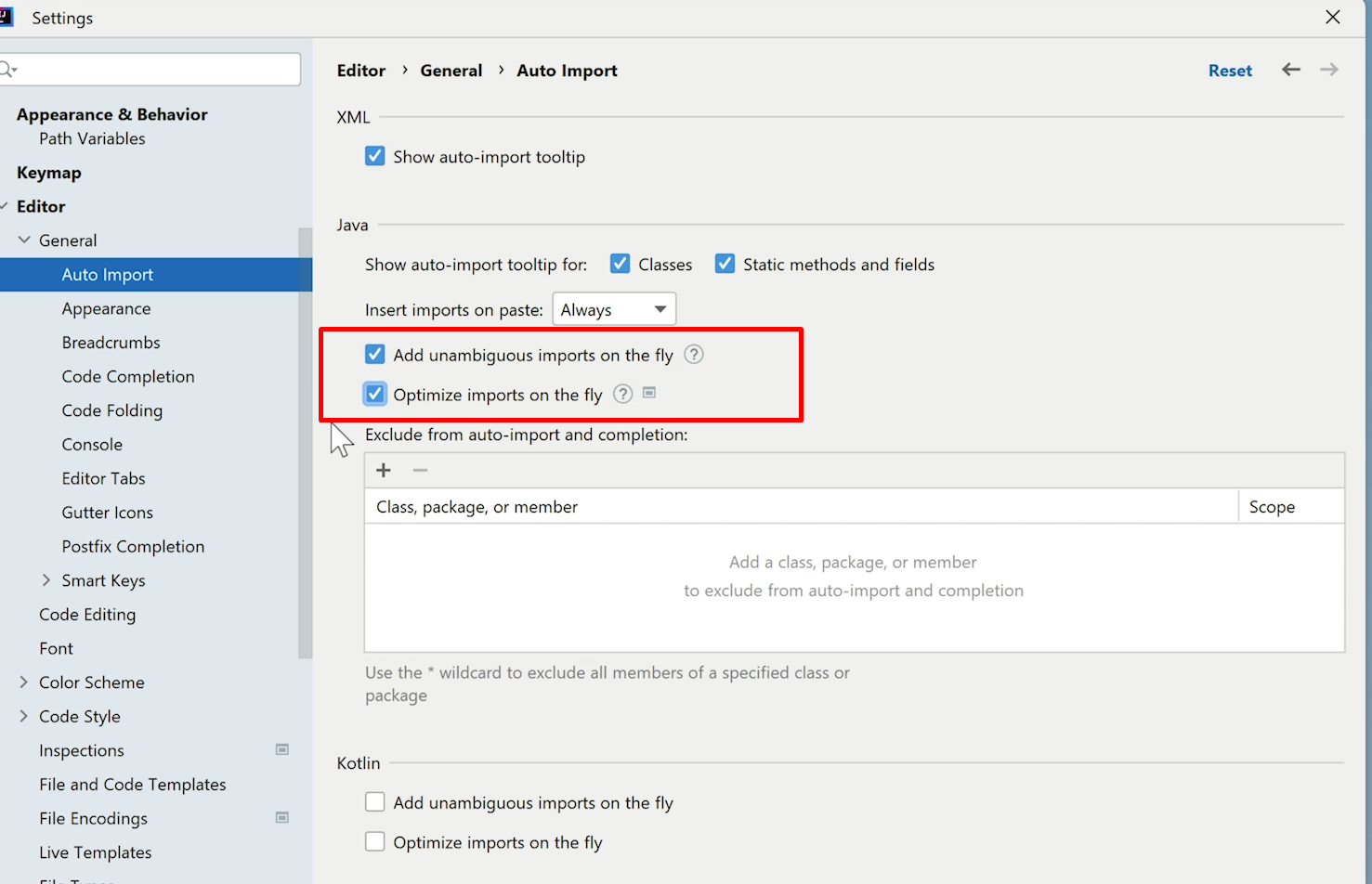
- Organize Imports: Ctrl + Alt + O
- Expand/Collapse Method: Ctrl + Plus/Minus sign
- Expand/Collapse all Methods: Ctrl + Shift + Plus/Minus sign
- Extract to variable: Ctrl + Alt + V
- Extract to method: Ctrl + Alt + M
- File Structure: Ctrl + F12
- Search Files : Double shift
- single line comment : ctrl + /
- Multi line commnent: ctrl + shift + /
- suggestions : Alt + enter
- Find Usage: ctrl + Alt + F7 : for find usage || Alt + F7 : quickly locate all occurrences of code referencing
- qucik search in files : ctrl + shift + F/R
- formate code : Ctrl + Alt + L
- Previously copied to the clipboard :Ctrl + Shift + V
- suggestions for code : Ctrl + J
- call hirarchy for method : ctrl + alt + H
Mac
- Extend Selection: ⌥ + ↑
- Shrink Selection: ⌥ + ↓
- Show clipboard: ⌘ + ⇧ + V
- Format Current File: ⌥ + ⌘ + L
- Organize Imports: ⌃ + ⌥ + O
- Expand/Collapse Method: ⌘ + +/-
- Expand/Collapse all Methods: ⌘ + ⇧ + +/-
- Extract to variable: ⌘ + ⌥ + V
- Extract to method: ⌘ + ⌥ + M
- File Structure: ⌘ + F12
Jrebel cheat sheet
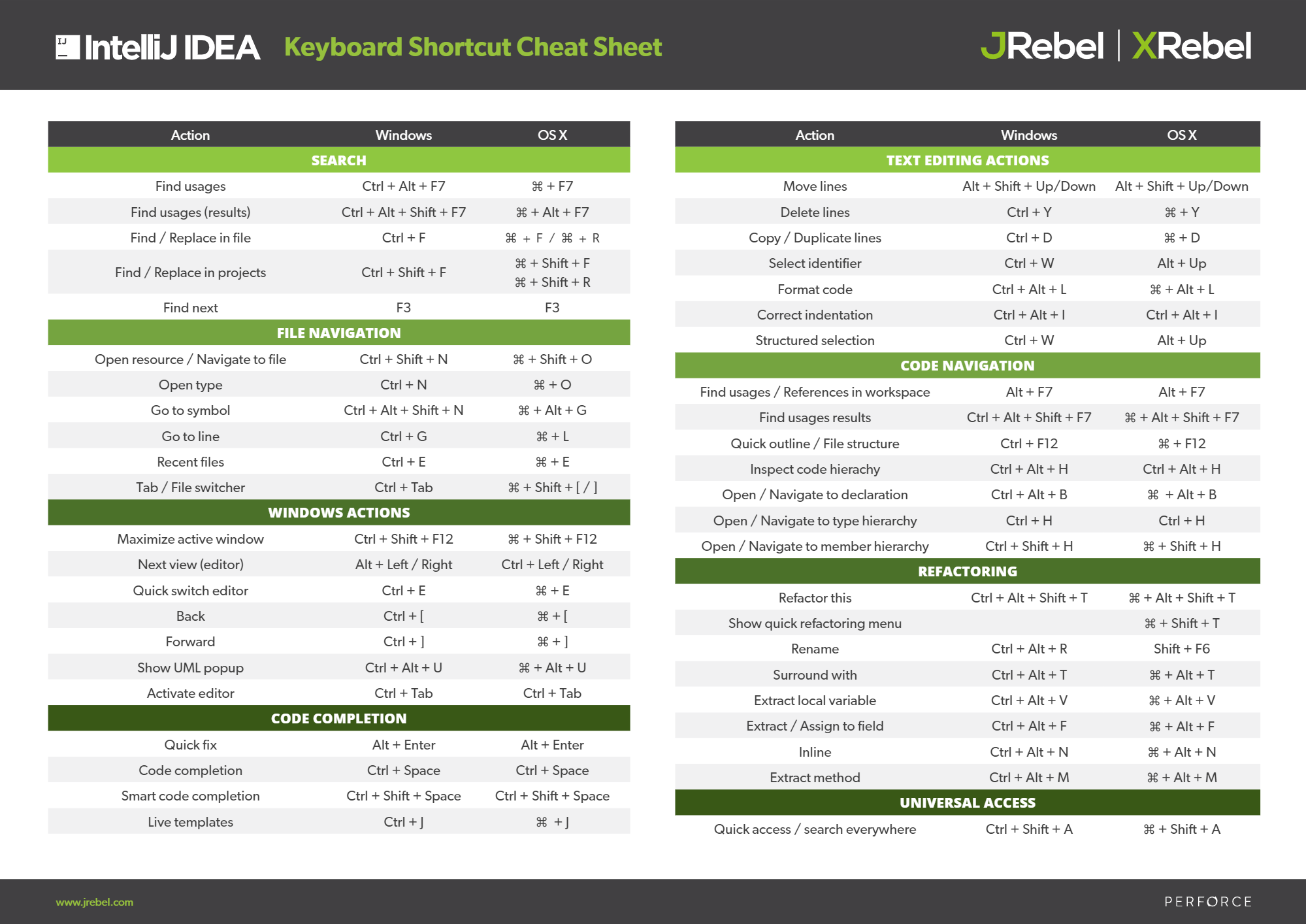
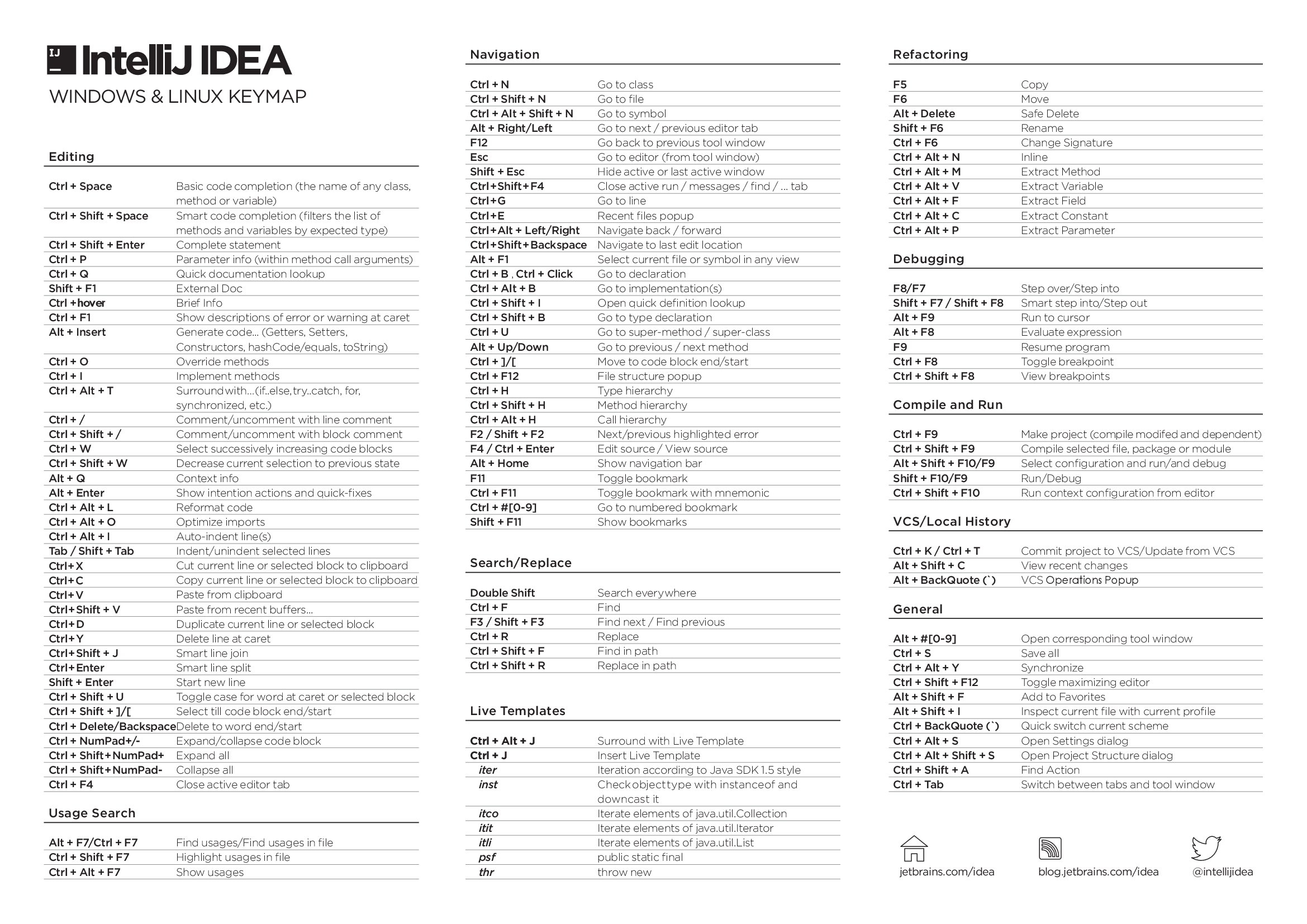
Shortcuts by Intellij
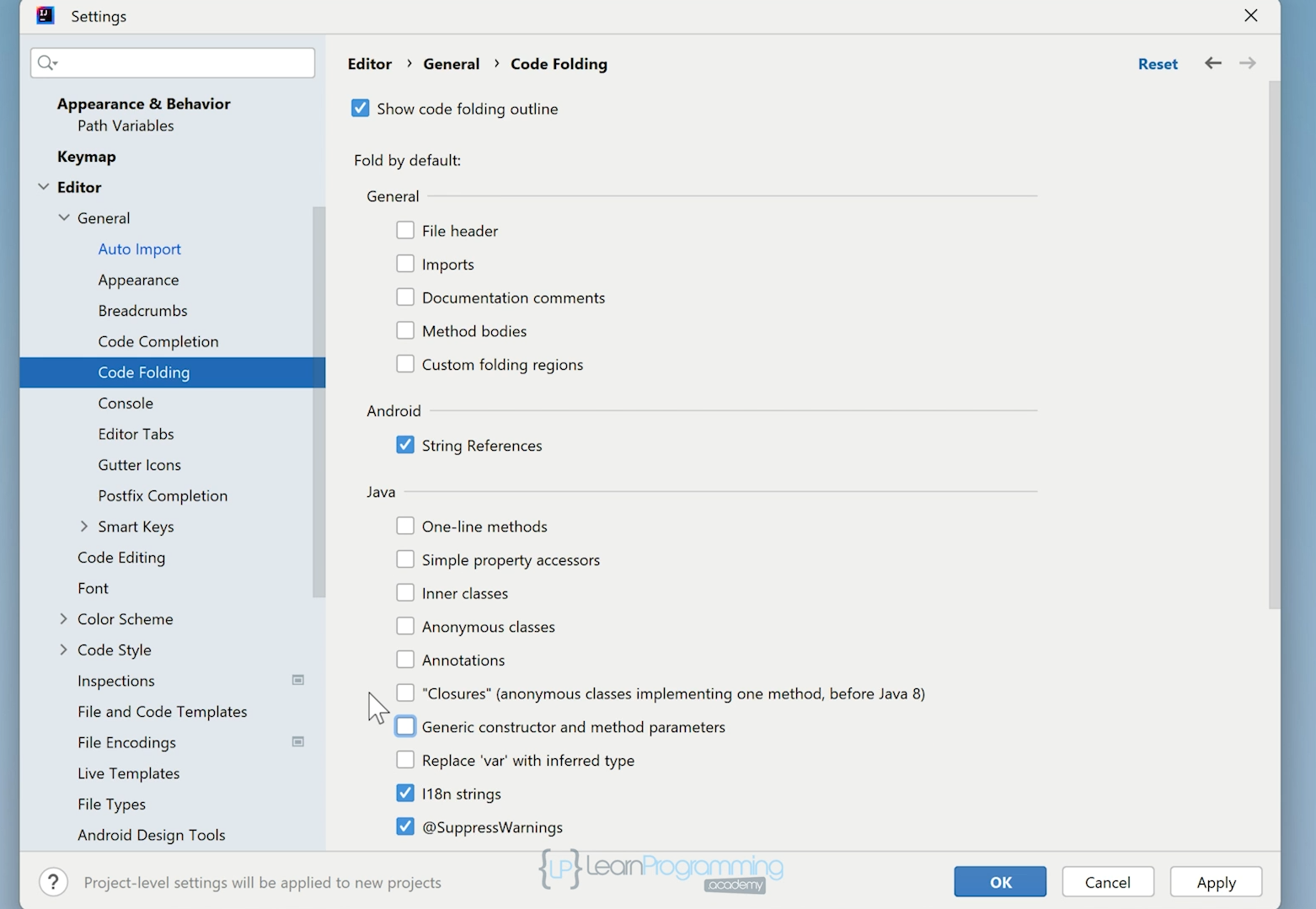
Configuration
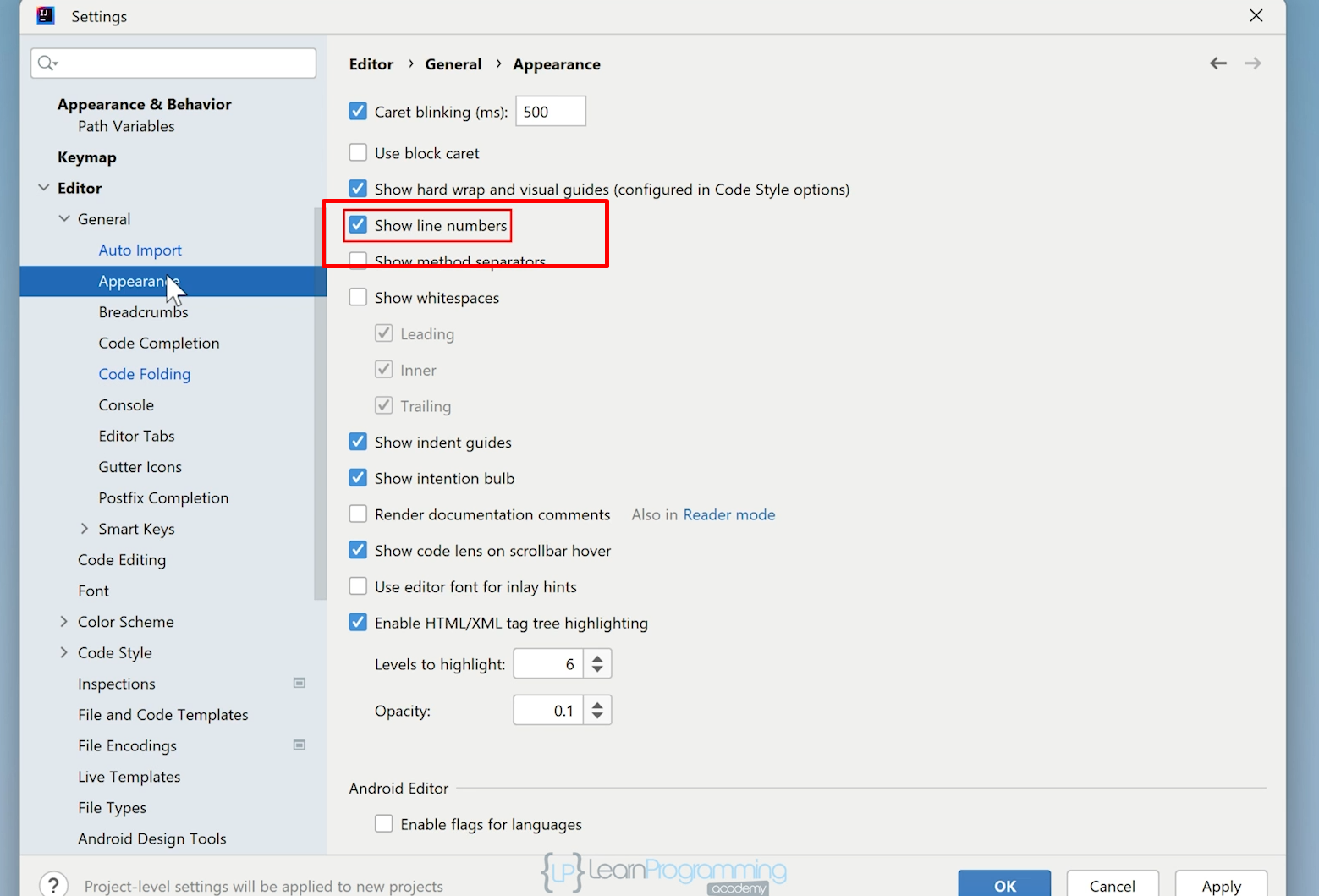
Plugins
- JPA Buddy
- JPA Buddy is an IntelliJ IDEA plugin that helps developers work efficiently with Hibernate, EclipseLink, Spring Data JPA, Flyway, Liquibase, Lombok, MapStruct, and other related technologies in both Java and Kotlin.
- MapStruct support
- This plugin gives some assistance in projects that use MapStruct to generate bean mapping code.
- Presentation Assistant
- This plugin shows name and Win/Mac shortcuts of any action you invoke (View | Appearance | Descriptions of Actions).
- Tabnine AI Code Completion
- Tabnine is an AI code assistant that makes you a better developer.
- AceJump
- AceJump allows you to quickly navigate the caret to any position visible in the editor. See a demo of AceJump in action! Simply hit "ctrl+;", then press UP/LEFT/Right for shortcut key will generate
- MapStruct support
- This plugin gives some assistance in projects that use MapStruct to generate bean mapping code.